Cut it short, print it loud
A wardrobe of a thousand garments still runs short when the one you like has the wrong sleeves, or comes in beige. Two new things in the creator fix that: garments you can cut, and patterns you can print on anything.
Cut your clothes
Many garments now come in several lengths. Pick one in the wardrobe and rows appear under it: Sleeve (Long, Short), Hem (Full, Midriff, Cropped), Length (Full, Capri, Shorts), depending on what that garment can do. The rows combine freely, so short sleeves and a cropped hem work together, and your choice stays with that garment in your wardrobe, your saves and your presets.
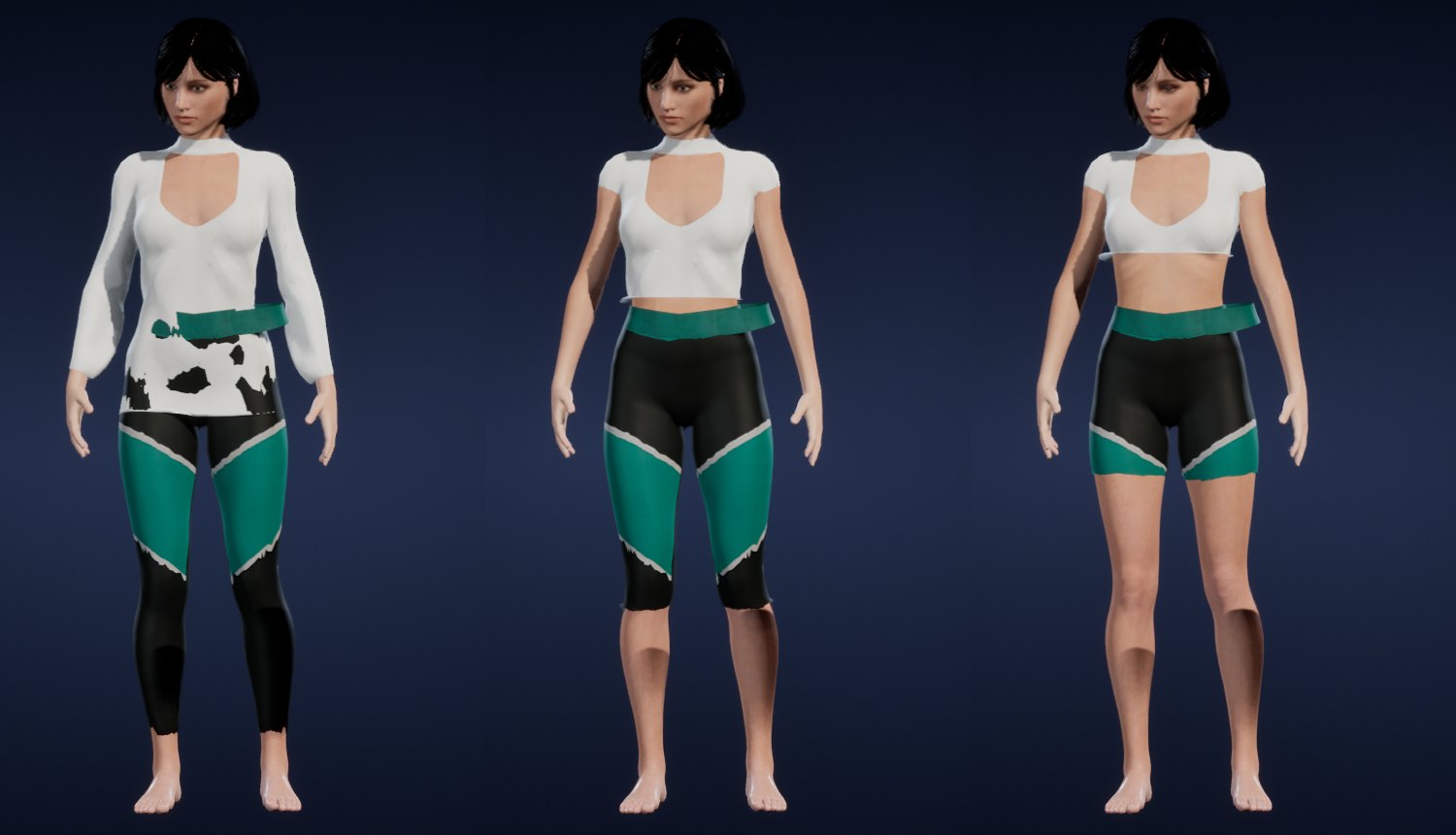
Each length is built into the garment itself, not painted over it. The cut-away cloth is tucked inside the arm or the leg rather than deleted, so it follows the body in every pose. That was the hard part: our first short sleeves were fine standing still and flapped out from the elbow the moment an arm moved.
We went through the extended wardrobe garment by garment, women's and men's, and checked every result on screen: 209 women's and 35 men's pieces can be cut now. Some could not be cut convincingly, mostly long flowing dresses and flared coats that folded into flaps whatever we tried. Those stay as they were made, and nothing you could pick looks broken.
A cut that shows more skin counts as more revealing: people notice a cropped top more than a long one. Someone under 18 is never offered a cut that goes past what they are allowed to wear.
Print anything
Next to the garment list there is now a Pattern page. It holds 49 patterns in seven groups:
- Classic: stripes, gingham, houndstooth, tartan, argyle.
- Animal: leopard, zebra, tiger, snakeskin, cow.
- Street: camo, checkerboard, skulls, cash.
- Luxury: monogram canvases.
- Pretty and Cute: florals, paisley, sequins, hearts, cherries.
- Cutout: fishnet and lace.
Pick one, then its two colours and its size.
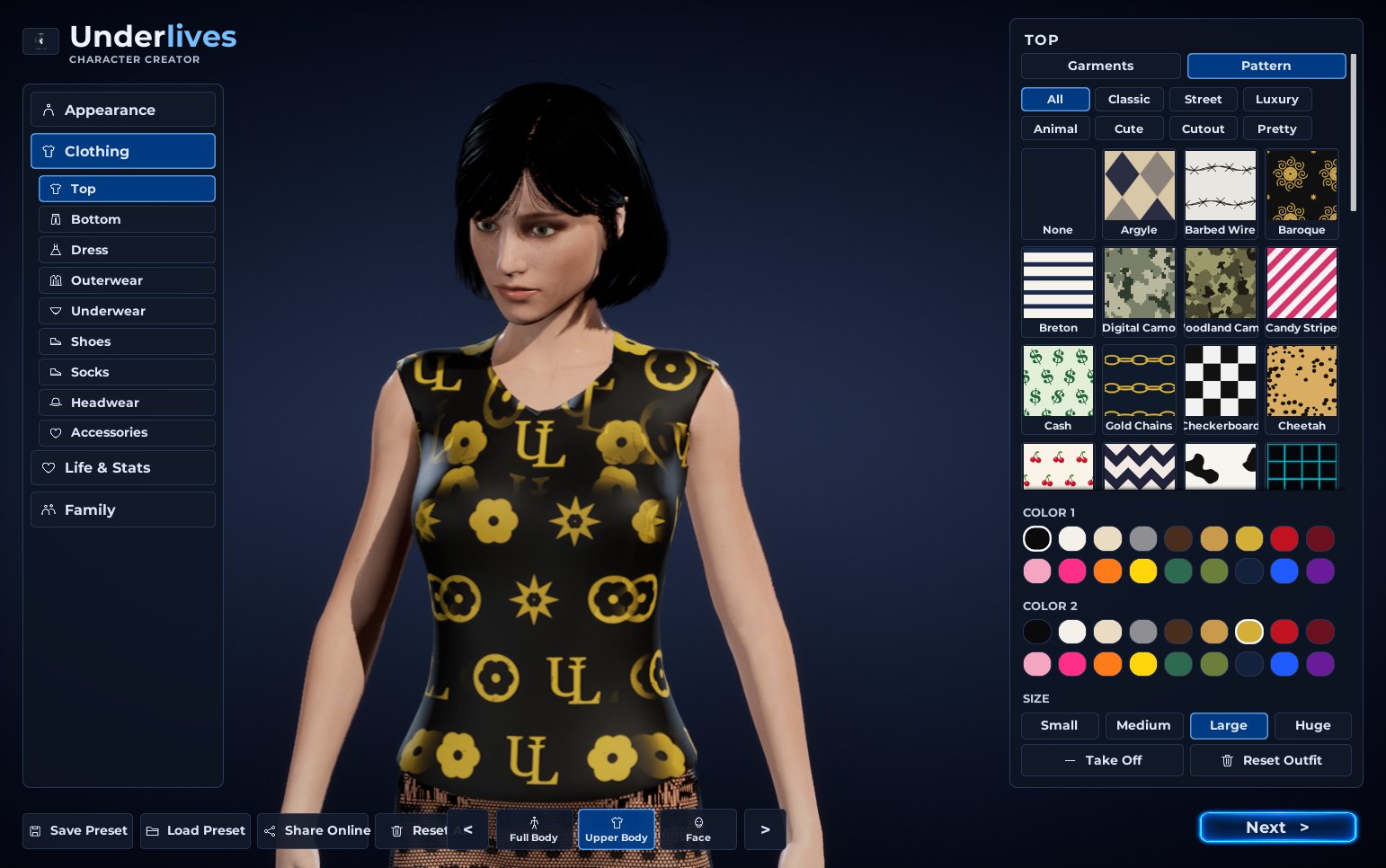
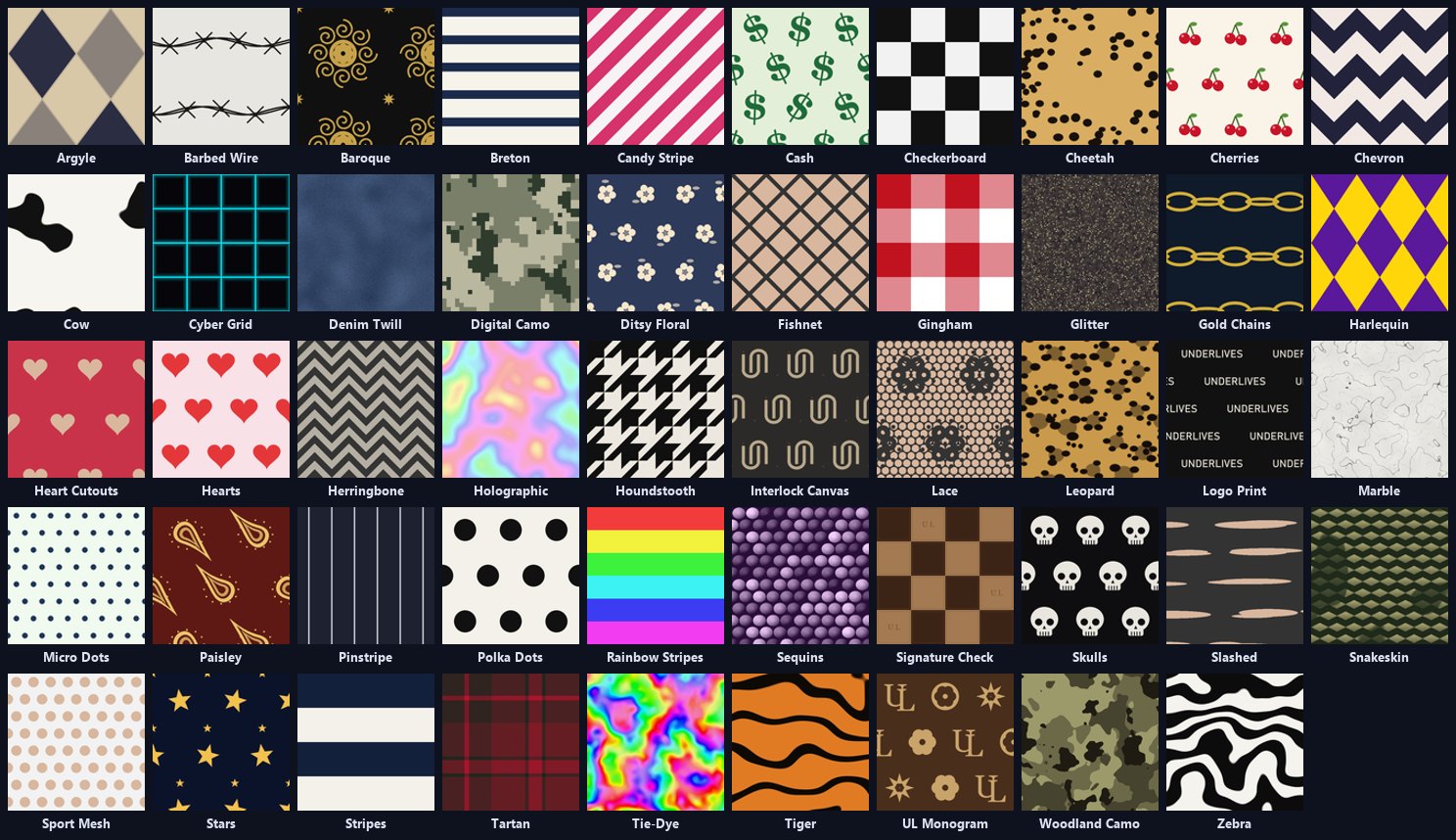
Most patterns are drawn in greyscale and coloured by your two choices, so one leopard is every leopard: tan and black, pink and black, white and grey. A few are full-colour pictures (tie-dye, rainbow, holographic) that you can tint. The cutouts are holes through the cloth: fishnet, lace, a sport mesh. Those count as revealing, and nobody under 18 can wear one.
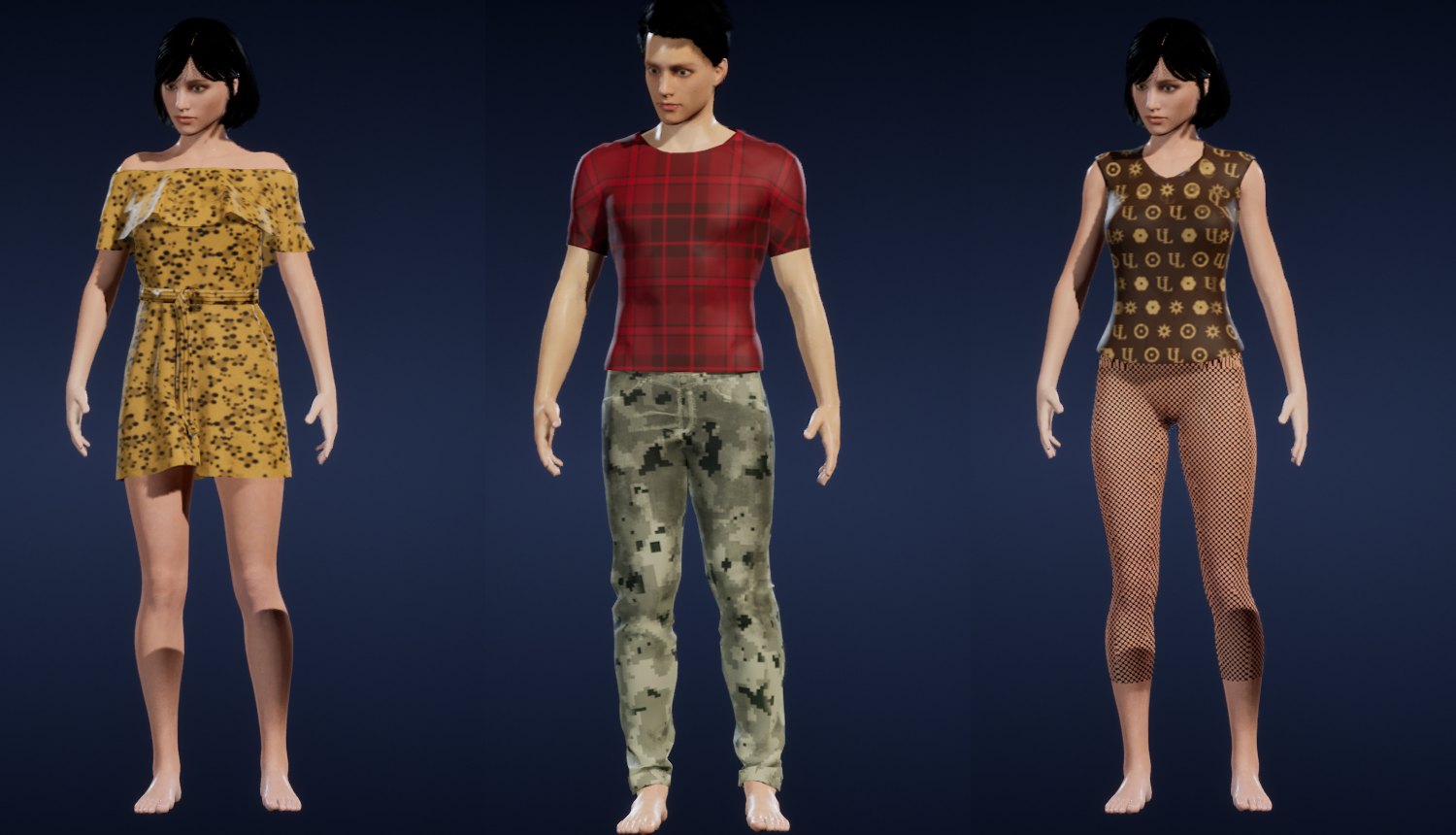
A pattern is wrapped around the garment from the front, the sides and above, not printed on the garment's own texture layout. Store-bought 3D clothes split their texture into pieces of every size and direction, and a stripe printed through them breaks at every seam. Wrapped this way, a stripe stays a stripe from the chest to the back, and two garments in the same pattern match. The garment's folds and shading still show through, so it reads as cloth and not as a decal.
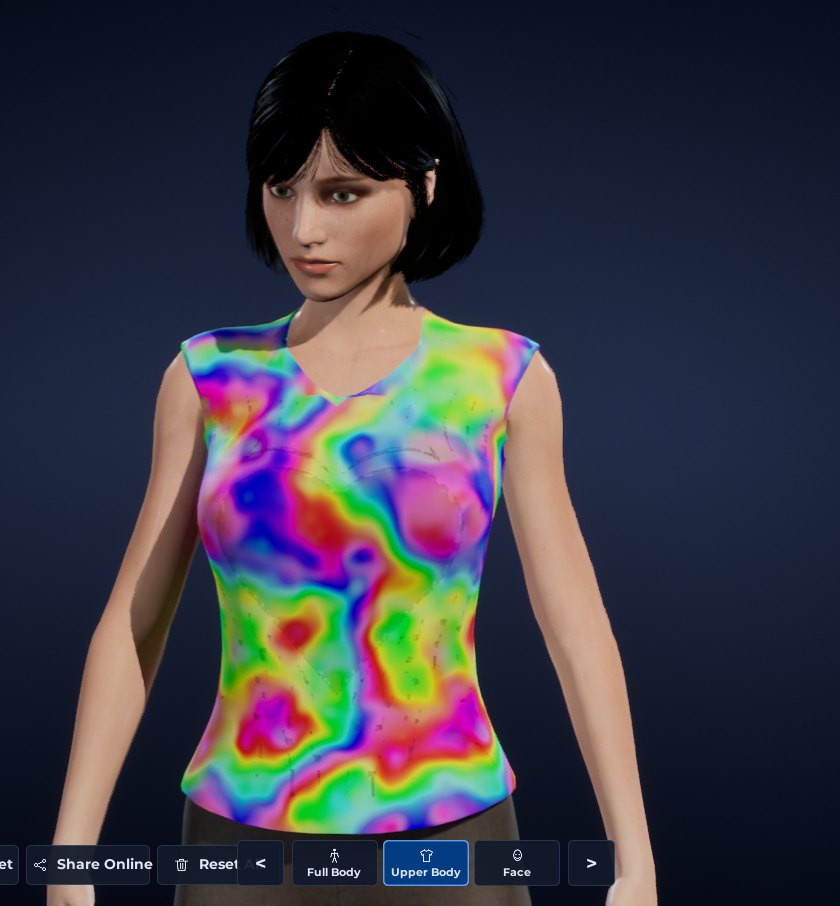
Cuts and patterns work together:
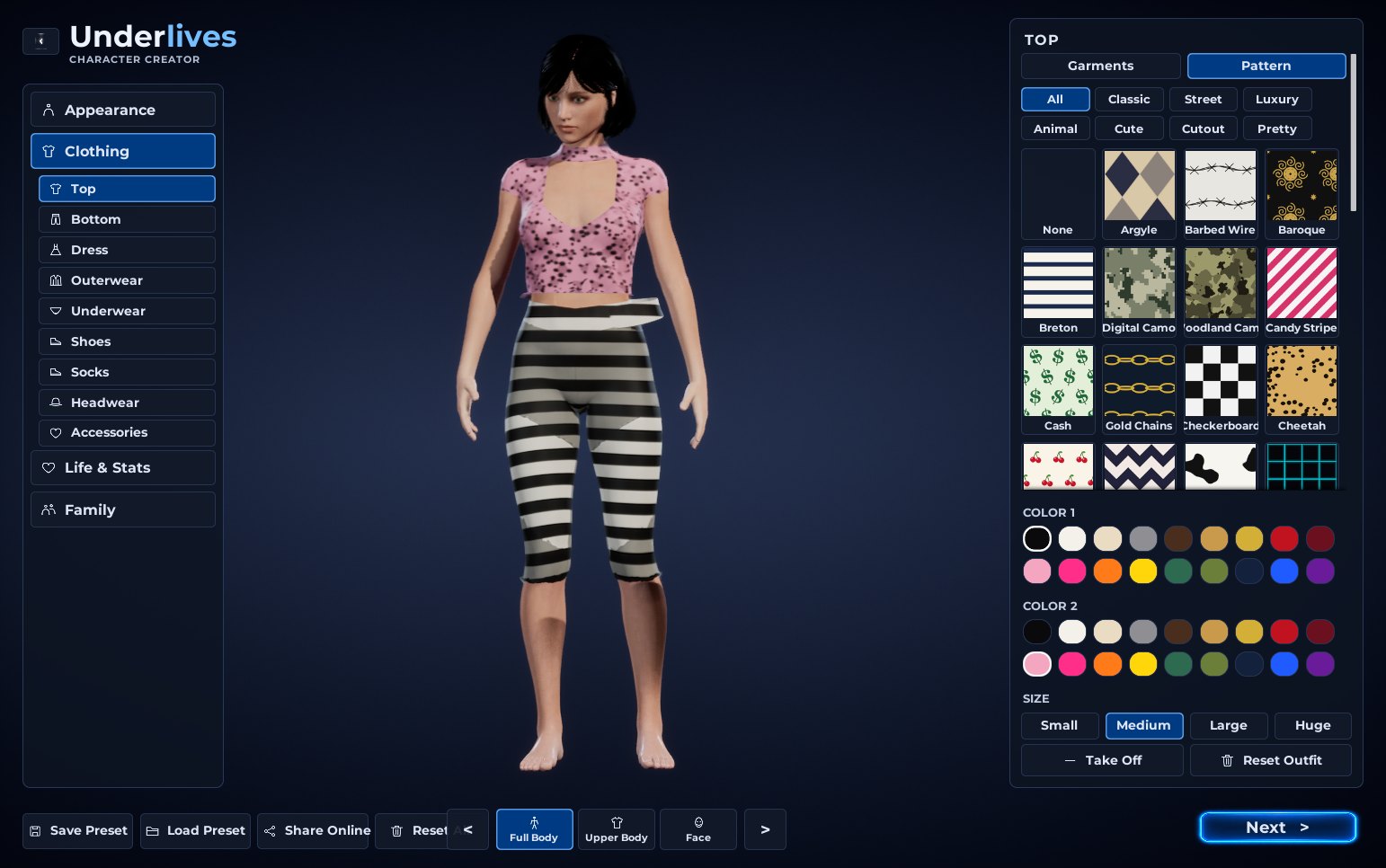
The luxury canvases are our own marks: the interlocked UL, a signature check, an interlocked U, gold chains, baroque. If you want a real designer canvas, that is a picture and six lines of text in your own mod.
The town dresses up too
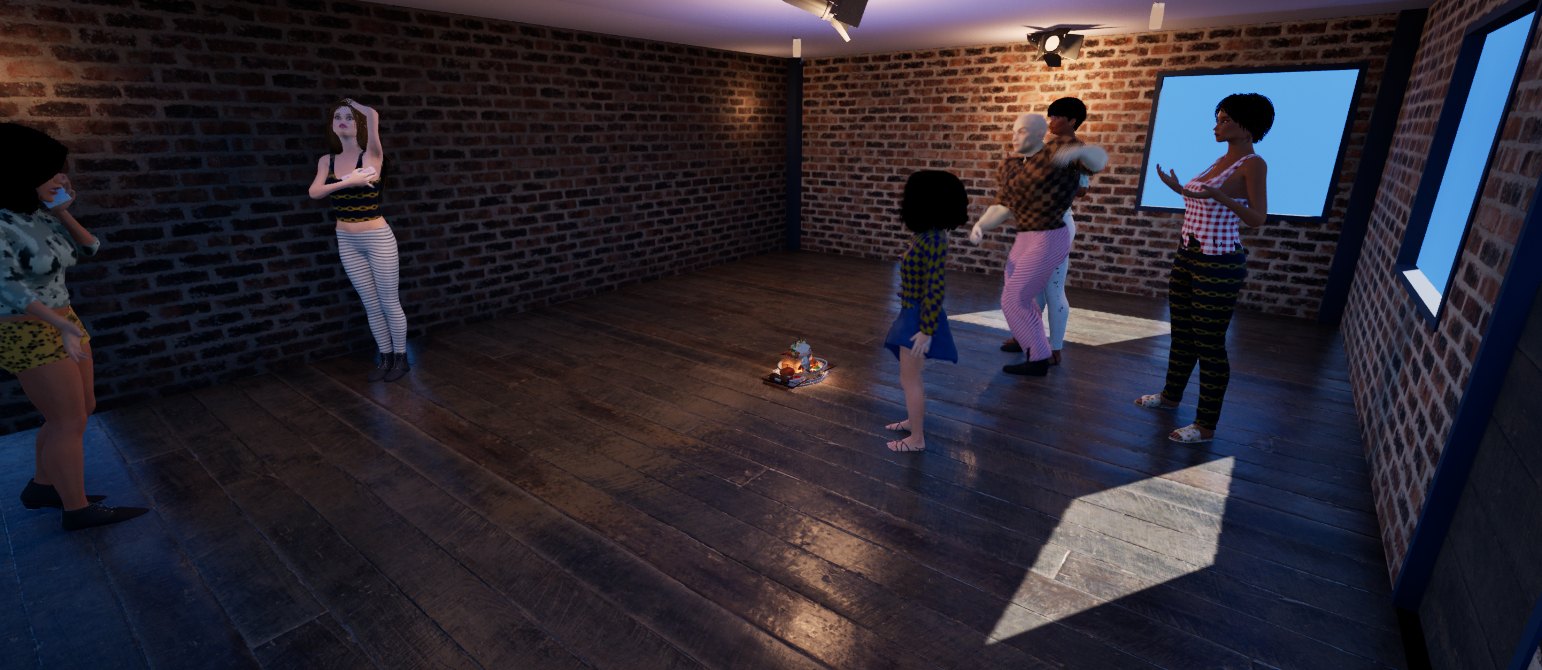
About one in five of the tops and trousers the game picks for the people around you now comes with a pattern, in its own colours. A bar is not a row of plain T-shirts any more.
For modders
Patterns are mod files like everything else. Add Patterns/<name>.png and a short <name>.ulpattern to your mod, and it shows up in the Pattern page with its own tab if you give it a new group. You can also set how often the game puts it on passers-by. The picture should be seamless, square and a power of two. Scripts can dress someone in one with Actor:setClothingPattern("Top", "Leopard"). The clothing docs have the format, and how to make your own garments cuttable is under Cuts.